Organize sources and revisions for your wiki
A useful research Space keeps sources easy to find and conclusions easy to revisit. Put original documents in raw/, working notes in notes/, and the pages you maintain in wiki/. Give revised sources distinct names so you can compare and cite both versions.
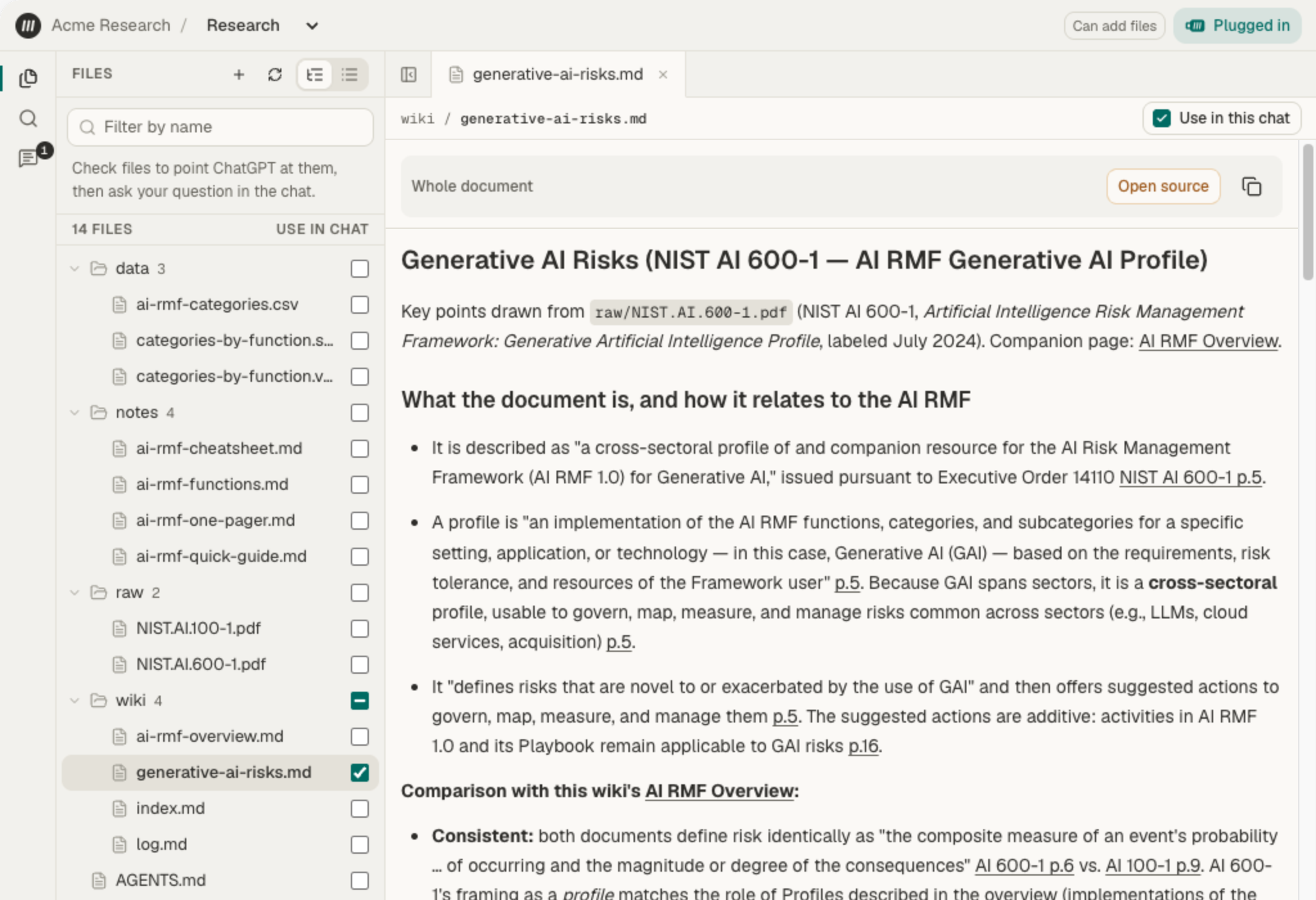
These are ordinary folders; choose names that suit your work. The layout below helps you keep track of what a source says, what you learned from it, and what changed.
Start with a small layout
Section titled “Start with a small layout”AGENTS.mdraw/ project-a/ concrete-spec-rev1.pdf concrete-spec-rev2.pdfnotes/ review-questions.mdwiki/ index.md concrete-requirements.md log.md| Place | Keep here |
|---|---|
raw/ |
Original source files with recognizable names. Keep source revisions separate when you need to compare or cite both. |
notes/ |
Open questions, working observations, and drafts you are still checking. |
wiki/ |
Maintained pages with citations, an index, and a record of meaningful updates. |
AGENTS.md |
Instructions for your agent: where to read, where to write, and what it must check. |
Add project folders when you need to separate collections. A topic can stay in a wiki page that draws on several sources; it does not need its own folder. See Create folders and move files for the controls.
Name sources before you cite them
Section titled “Name sources before you cite them”Use a recognizable document name and its revision or issue date, such as concrete-spec-rev2.pdf. A name like final.pdf becomes ambiguous as soon as another revision arrives.
Keep related revisions together and upload a new revision as a separate file. Replacing the old file removes it from this workflow: Mempipe has no version-history picker to restore or compare an earlier PDF.
Moving or renaming a source does not update paths already written in your wiki. After reorganizing, update path-based links and citations and open them to verify the destination. Links by name can survive some moves, but duplicate names may point to the wrong file.
Ask about one collection
Section titled “Ask about one collection”When the Space contains several projects, give the agent the folder you mean:
Search only raw/project-a/** for the curing requirements.Give the file name and revision for each result, and cite the passages.Keep differences between revisions visible.A connected agent can pass that path pattern to Mempipe’s search to limit ranked results. Its search call shows which scope it used. This request guides the agent; it does not prevent it from reading elsewhere in the Space.
raw/project-a/** includes subfolders. raw/project-a/*.pdf includes PDFs directly in that folder. The Search panel itself has no folder filter for ranked search; use its Grep filters for exact text, or ask the agent. See Search syntax.
Review a new revision before updating the wiki
Section titled “Review a new revision before updating the wiki”-
Upload it beside the earlier source. Wait for processing to finish.
-
Compare the two PDFs. Open the earlier file, choose Compare…, and select the new revision. Check the changes and their coverage limits.
-
Identify the affected wiki pages. Update changed requirements, but read the surrounding text first. A moved paragraph may leave a requirement unchanged, and an omitted passage may not mean it no longer applies.
-
Ask for a focused update. Adapt this prompt with your file paths and the changes you found:
Read wiki/concrete-requirements.md and both PDFs:raw/project-a/concrete-spec-rev1.pdfraw/project-a/concrete-spec-rev2.pdfI reviewed a change from 4,000 to 5,000 psi and from 7 to 10 curing days.Check those findings against both sources before updating the page.Keep a short revision note explaining the old and new requirements,with a citation to each source. Preserve unrelated sections.If the documents don't establish which revision governs, say so.Update wiki/index.md if needed and append to wiki/log.md withoutinventing a date. List the files you changed. -
Review the saved page. Open both citations, verify values and units, and make sure unrelated sections remain. Make any corrections in Live Preview and save.
The values above come from the fictional PDFs in the comparison guide. Use the requirements from your own documents.
Make the next session easier
Section titled “Make the next session easier”Put your conventions in AGENTS.md: read the wiki first, verify claims against sources, preserve originals, cite conflicting revisions, and log changes. Supply the date you want recorded in the log.
Use wiki/index.md as a short table of contents linking to topic pages and their sources. Record meaningful updates and their reasons in wiki/log.md. This log is a written record; it cannot restore earlier files.
Your wiki stays available between conversations. Read the same Markdown files through MCP or open them in Mempipe Notebook.