Give the agent standing instructions with AGENTS.md
AGENTS.md is a Markdown file at the top level of a Space that gives the in-app agent standing instructions. The agent reads it before every message you send in that Space, so you don’t have to repeat how you want it to work: how to answer, where to save files, and what to leave alone. Change the file, and your next message uses the new version.
Before you start
Section titled “Before you start”Set up the agent in the Space. Then look at the top level of Files. If the Space already has an AGENTS.md, edit it instead of creating a new one.
Write your instructions
Section titled “Write your instructions”Short, specific rules work best. Say what the Space holds, how answers should look, where to save files, and what to leave alone. For example:
# Instructions for this Space
This Space holds NIST's AI risk management publications, in raw/.
- Answer from the files in this Space, and cite every claim.- If the files don't answer a question, say so instead of guessing.- Start with a one-sentence answer, then give details as a short list.- Save notes in notes/ and wiki pages in wiki/, as Markdown.- Never change files in raw/.
Add AGENTS.md to your Space
Section titled “Add AGENTS.md to your Space”-
Create the file.
The quickest way is to ask the agent. Type this request, press Shift+Enter to start a new line, and paste your instructions below it in the same message:
Create
AGENTS.mdat the top level of this Space with exactly these instructions.You can also write
AGENTS.mdon your computer and upload it to the top level of the Space, outside any folder. -
Check it.
Open
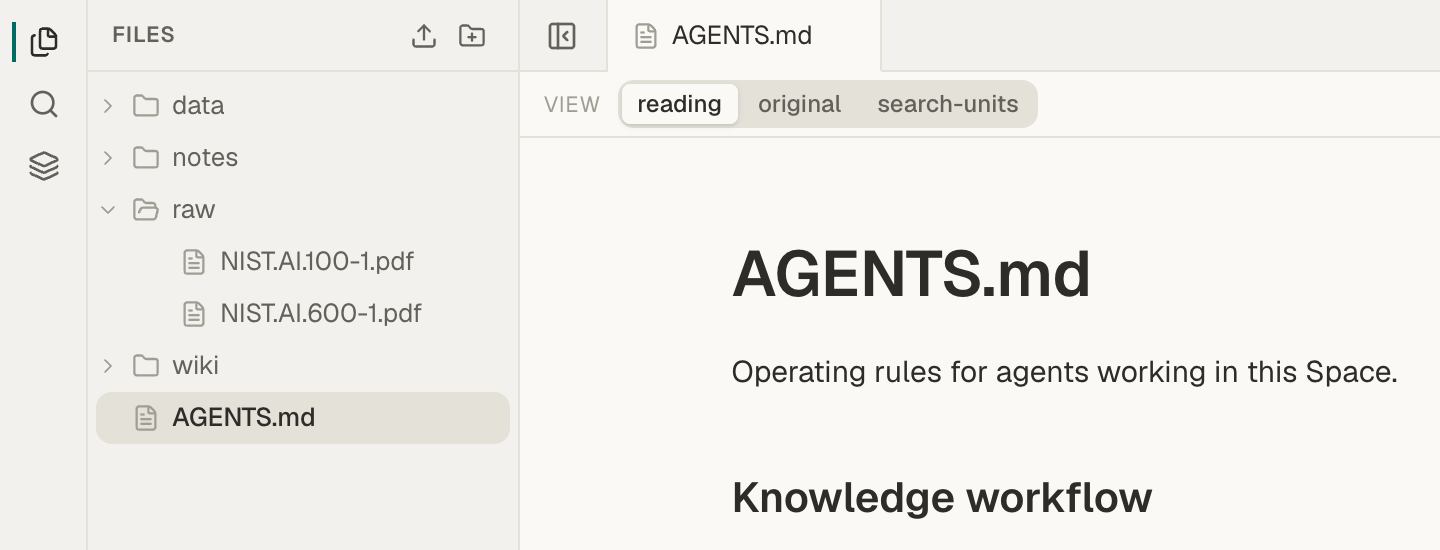
AGENTS.mdfrom Files and read it. To change it, choose original in the View switcher above the file, edit the text, and press ⌘S on a Mac, or Ctrl+S on Windows and Linux, to save. See Write and edit Markdown notes.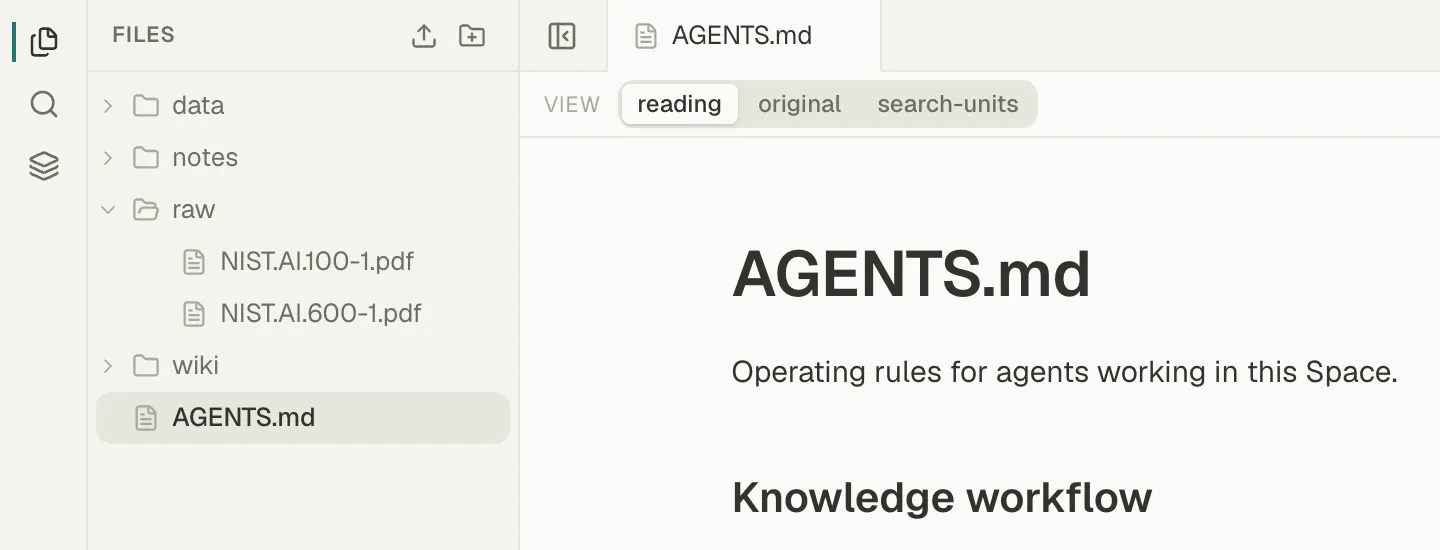
AGENTS.md sits at the top level of the Space, beside your folders. -
Send a message.
Ask the agent a question. It reads the saved
AGENTS.mdbefore it answers, so you don’t need to reload the page.
How the agent uses AGENTS.md
Section titled “How the agent uses AGENTS.md”- Name and place. The agent reads only a file named exactly
AGENTS.mdat the top level of the Space. It doesn’t look for one inside a folder. - Every message. The agent reads the saved file each time you send a message. Edits you haven’t saved aren’t used, and an answer already in progress keeps the version it started with.
- Length. The agent reads the first 16,000 characters, roughly 2,500 words, and skips the rest. Put the most important rules first.
- No file. Without
AGENTS.md, or with an empty one, the agent uses Mempipe’s default instructions: answer questions from the Space’s documents and cite the evidence. - Mempipe’s rules come last. After your instructions, Mempipe adds fixed rules: search the Space, answer only from what the files say, cite each claim, and save files only when asked. They tell the agent to follow them over anything in
AGENTS.mdthat conflicts.AGENTS.mdalso can’t give the agent abilities it doesn’t have, such as deleting files. - It’s an ordinary file. Anyone who can open the Space can read and edit it, and the agent can change it when you ask. Its text goes to your model provider with every message, as described in where your key and questions go.
- Only the in-app agent loads it as instructions. Mempipe does not give
AGENTS.mdto an AI you connect over MCP as instructions. That AI sees it as an ordinary file, which it can read like any other.
If the agent ignores an instruction
Section titled “If the agent ignores an instruction”- Check that the file is named
AGENTS.mdand sits at the top level of Files. - Check that you saved your changes.
- Make the rule specific. “Answer in three bullet points or fewer” works better than “Be brief”.
- Check that the rule doesn’t conflict with Mempipe’s fixed rules above.
- Models don’t follow instructions every time. Check important answers against their citations.
- Ask the agent about your files
- Build and maintain an LLM wiki. An LLM wiki keeps its rules in
AGENTS.md.