Manage connected apps
Open Settings → Connected apps from the account menu at the top right to see which assistants can use your files. Each connection shows whether the app can read or write and whether it has access to one Space or all your Spaces. You can disconnect an app here.
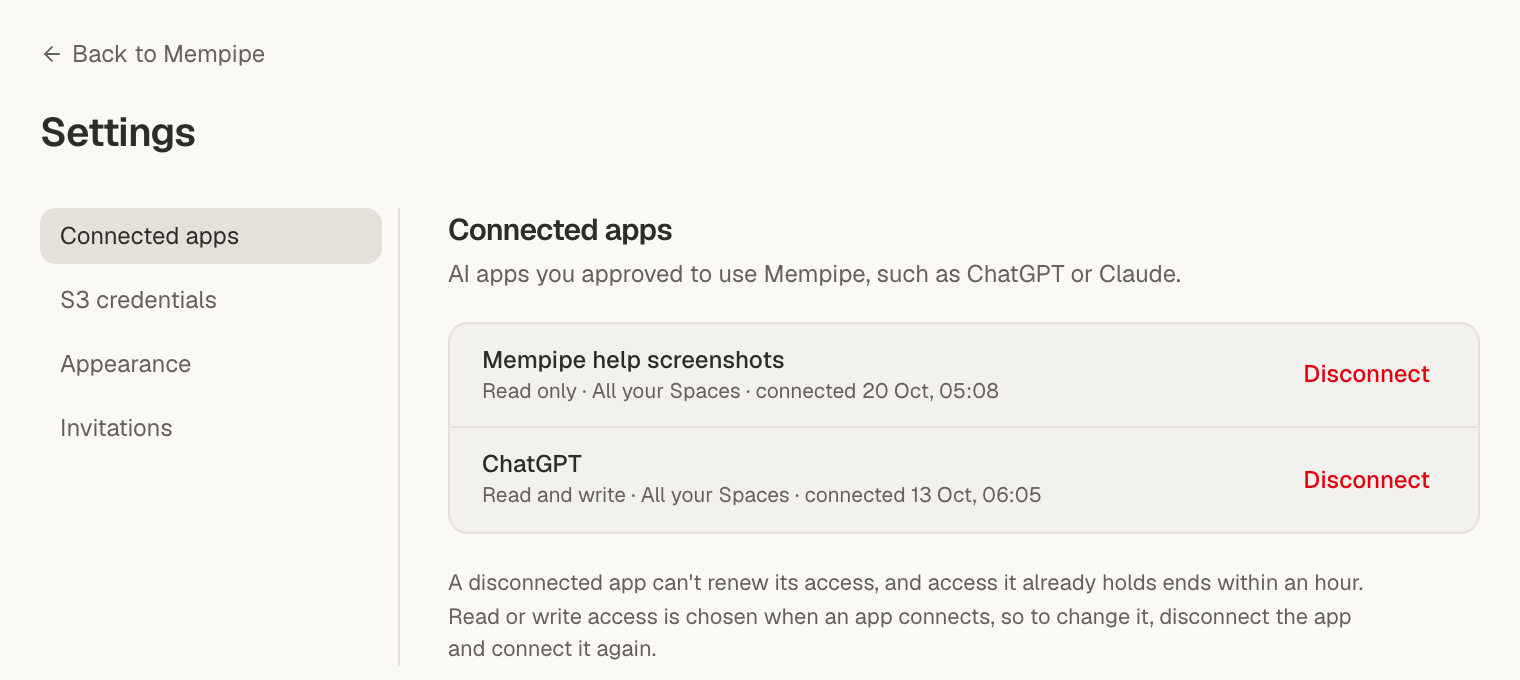
Review a connection
Section titled “Review a connection”Check the permissions and the Spaces covered by the connection. An all-Spaces connection includes Spaces you join later. Read-only access still lets an app send the files it reads to its model provider.
See What a connected AI can read and change for the full permissions. Selecting files or unplugging Mempipe Notebook guides the conversation but does not change the app’s access.
Disconnect an app
Section titled “Disconnect an app”- Open Settings → Connected apps.
- Find the app you want to disconnect.
- Choose Disconnect, then confirm using the button that names the app.
Disconnecting stops the app from renewing access. Access already issued can remain valid for up to one hour. Disconnecting does not remove content the app has already read or saved in a conversation.
You can also remove Mempipe from the AI app’s list of connected tools.
Change read or write access
Section titled “Change read or write access”Disconnect the app in Mempipe, then reconnect it from the AI app. On Mempipe’s approval screen, leave optional write access unchecked for read-only use. Check it if you want the app to save files, then review the permissions before approving.
To connect just one Space, use its MCP Endpoint address when reconnecting. See Connect an assistant for setup.
S3 credentials are separate
Section titled “S3 credentials are separate”Settings → S3 credentials lists temporary credentials for file tools. Revoke them there or in the Space’s S3 Access tab. Disconnecting an app or signing out does not revoke S3 credentials. See Read a Space with S3 tools.
If something goes wrong
Section titled “If something goes wrong”- An app is missing from the list. Check that you signed in to the Mempipe account you used to connect the assistant.
- The app still works just after disconnecting. Previously issued access can remain valid for up to an hour.
- The app still shows old answers. Revocation does not erase an existing chat or downloaded content.
- The list does not load or disconnecting fails. Check your internet connection and try again. Treat the app as connected until Mempipe confirms it has been disconnected.