Build an LLM wiki that stays attached to its sources
An agent should leave behind more than a plausible reply. Mempipe gives it a file-native workspace where your PDFs stay as you uploaded them, useful knowledge becomes durable Markdown, and citations can open the evidence that shaped the page.
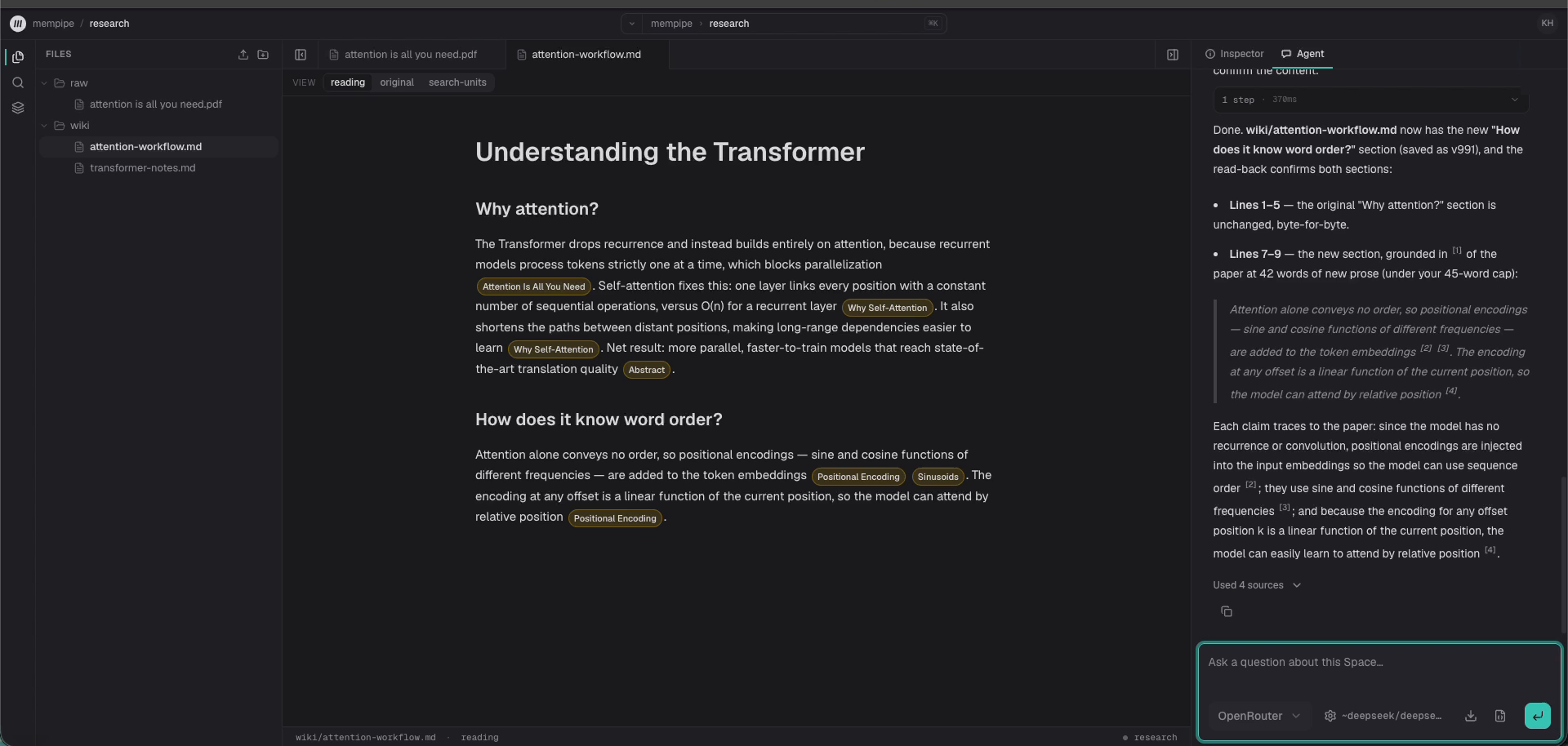
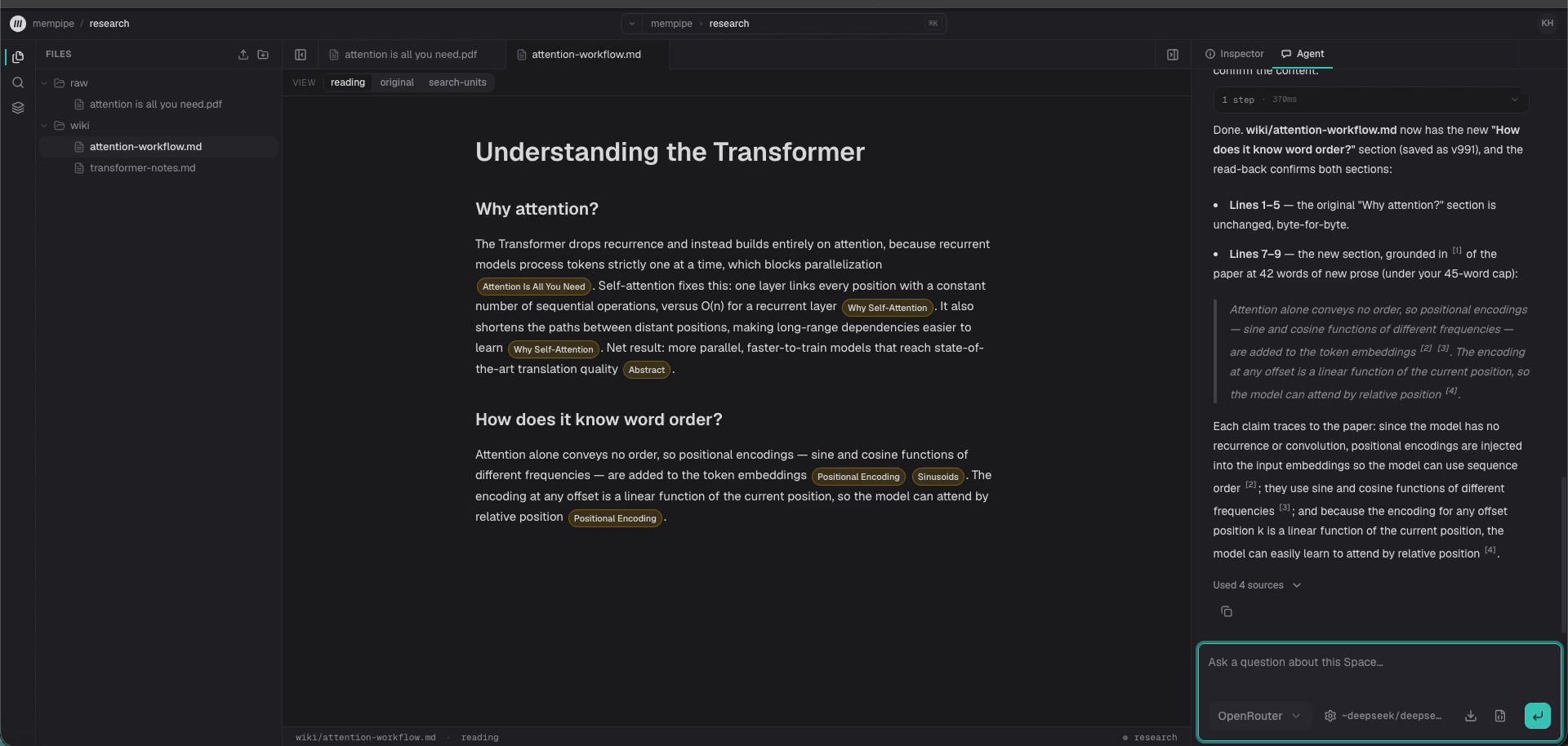
One paper, one saved page, one citation opened
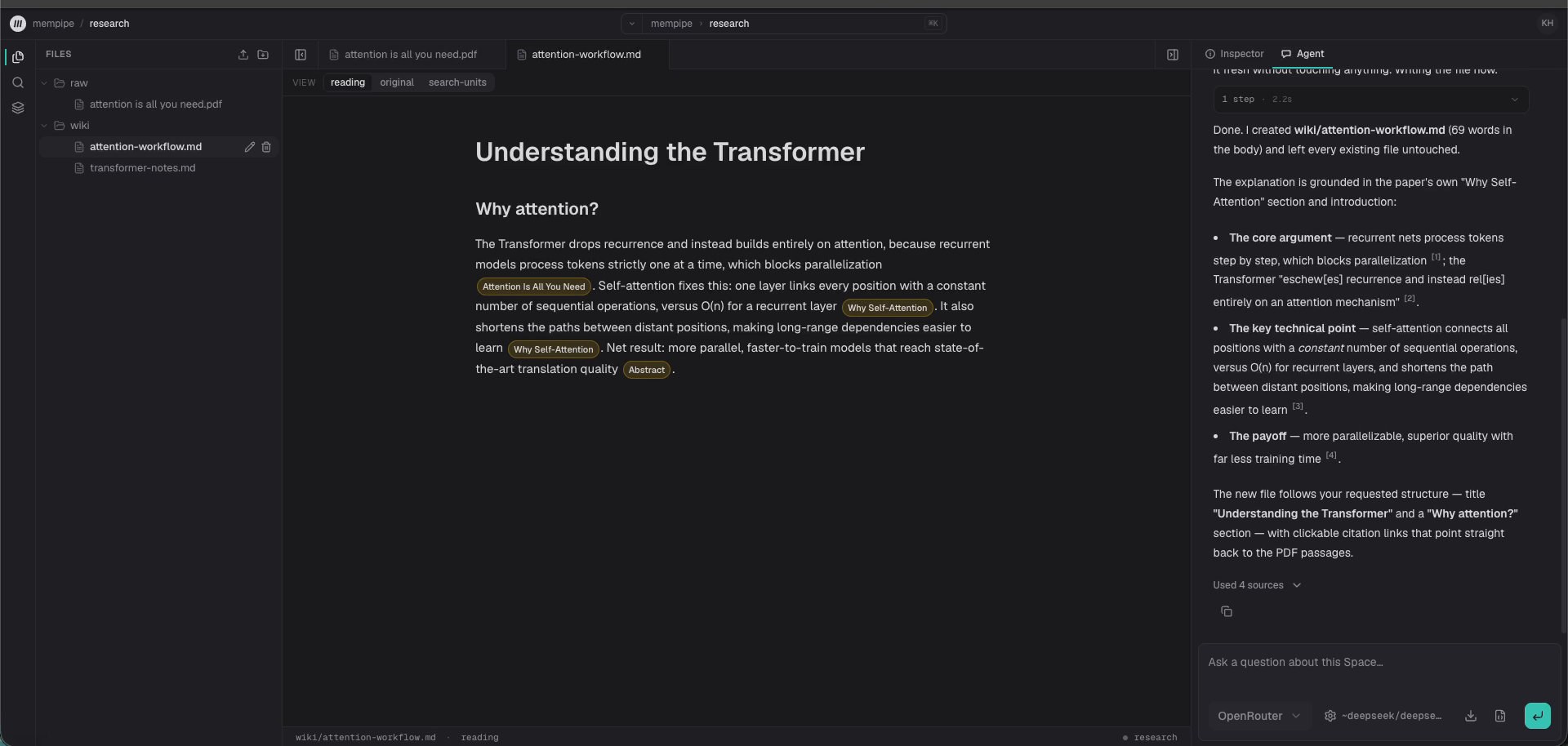
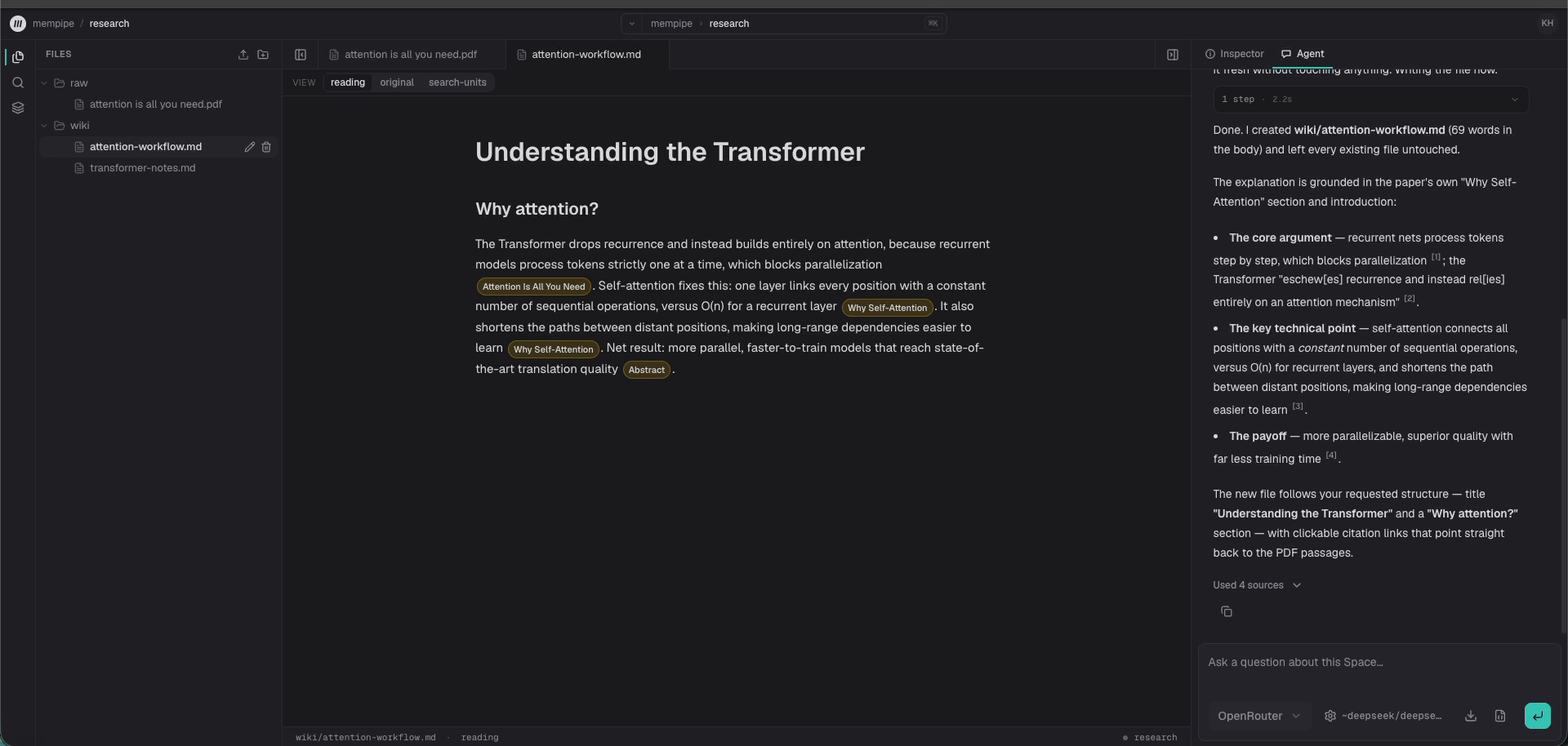
A 58-second recording of the workflow in Mempipe: ask a question about a paper, save the answer as a cited wiki page, open a citation in the original PDF, then extend the same page with a follow-up. It was recorded in a local build of Mempipe, with the PDF extracted by LlamaParse and waiting time shortened.
The pattern, and where it comes from
The LLM wiki pattern comes from Andrej Karpathy's public gist. Raw sources stay untouched. An agent maintains a wiki of linked Markdown pages. A schema file tells it how to ingest a new source, answer a question from the wiki, and check the wiki for contradictions. The wiki compounds instead of being rebuilt from scratch for every question.
Mempipe is an independent product that supports that workflow over ordinary files, with PDFs as first-class sources. The pattern's origin is a fact about where the idea came from, not an endorsement.
Building Karpathy's wiki
You run Claude Code beside a folder of Markdown and want PDFs handled properly: passage citations, search, and a Space that Claude Code and other remote MCP clients can reach.
Researching from papers
You read PDFs for a living and want notes that keep the trail back to the paragraph, so a claim can be checked months later.
Comparing long documents
Tenders, contracts, and revisions. You want the wiki updated when the next version arrives, with both sources cited where they differ.
Stop rebuilding context in every chat
Chat history records what happened next. A wiki records where knowledge lives. That difference matters when a project has source documents, named topics, decisions, and claims that must survive beyond one model session.
In Mempipe, the agent reads the current wiki before it writes. New source material updates the existing pages instead of producing another answer that someone must find and reconcile later.
A simple convention over ordinary files
AGENTS.md
raw/
research-paper.pdf
interview-notes.md
wiki/
index.md
topic-page.md
log.md
People own the files under raw/. The agent maintains normal Markdown under wiki/. A visible AGENTS.md file defines the schema and maintenance rules, the same role Karpathy's schema document plays. Search indexes and extracted document views are rebuildable layers, not a second hidden knowledge base.
Retrieval finds evidence. Markdown keeps the work.
A vector index can help a model retrieve context, but it is a poor place for the finished knowledge to live. You cannot comfortably browse, edit, diff, or hand an embedding index to another tool.
Mempipe uses retrieval to find source passages, then lets the agent write the useful result into named Markdown pages. Citations can point back to source-mapped passages, and opening a PDF citation can take the reader to the relevant page and highlight. The file remains useful even outside Mempipe.
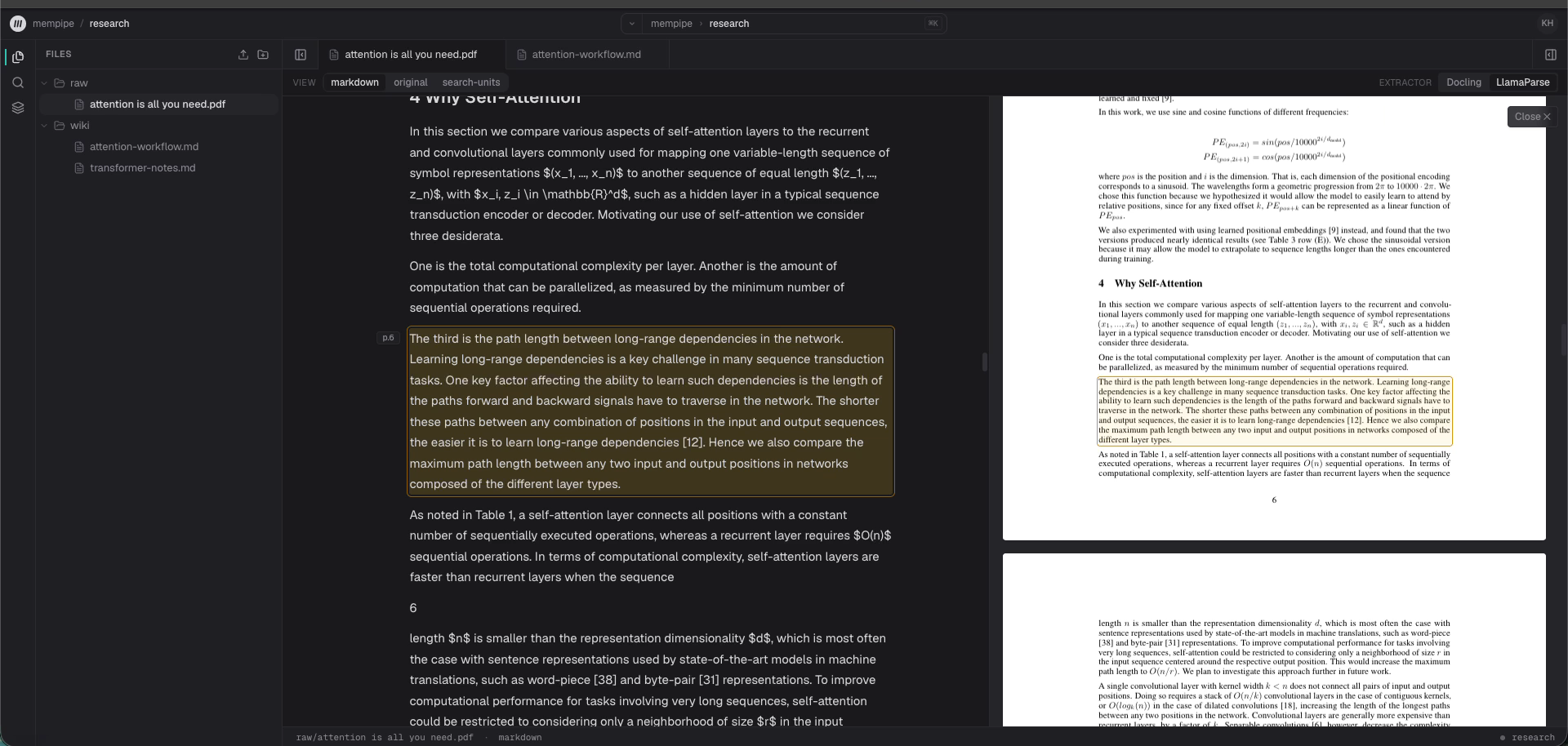
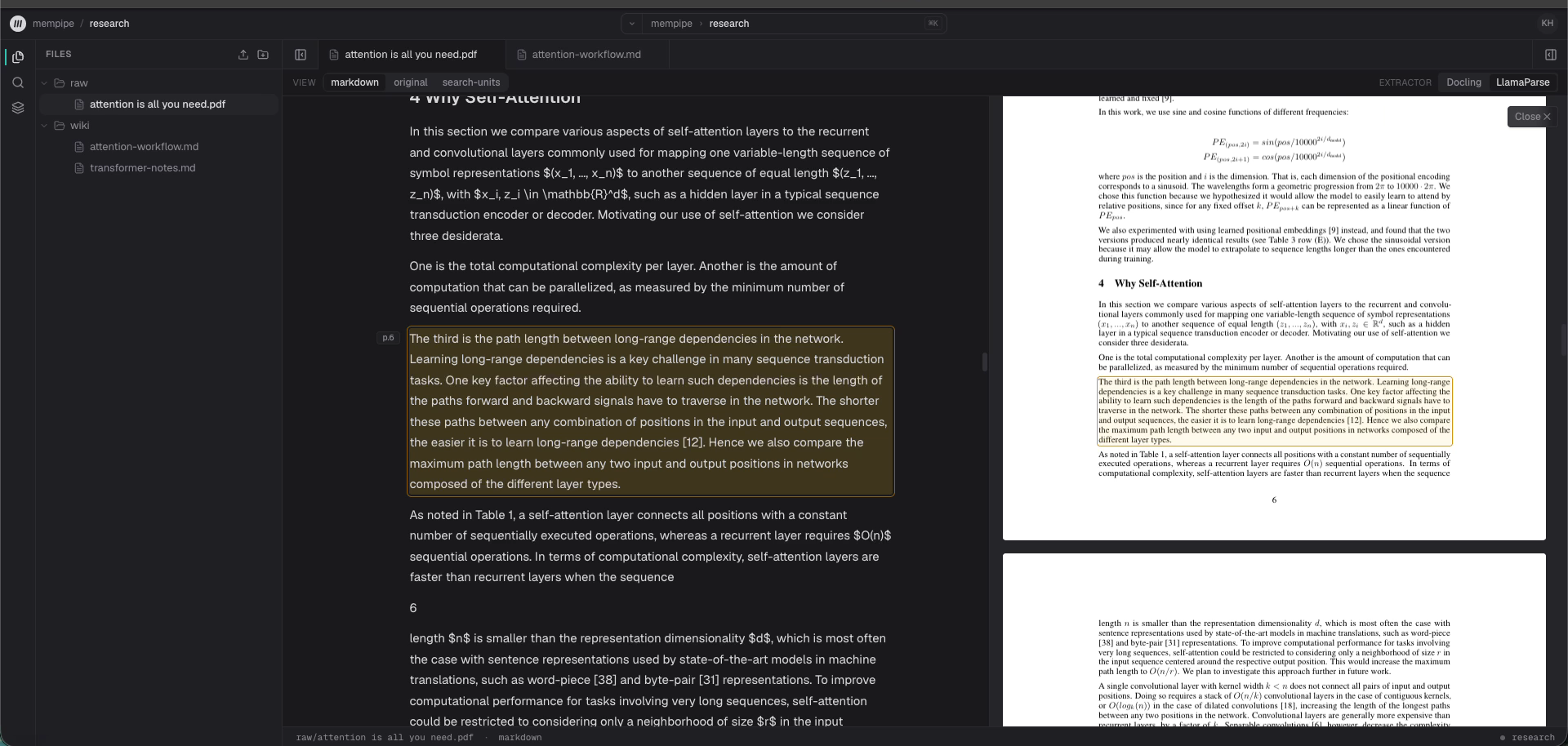
Humans and agents work from the same evidence
The workspace does not maintain a cleaner, richer corpus just for the model. Humans read the same extracted documents, search the same index, and open the same source anchors an agent receives. Your own agents reach the same Space over MCP: Claude Code, Claude, Cursor, Codex, ChatGPT desktop, and VS Code can search, grep, and read it, and write Markdown pages when you approve write access at sign-in.
Version-checked writes protect a newer human or agent edit from a stale replacement. They do not guarantee that a model understood the source. Important claims still deserve review, which is why the evidence stays one click away. Check an AI-written wiki against its sources shows how.
Proven as a workflow, not promised as autonomy
In a controlled product run, a Mempipe agent built a three-file wiki from one PDF, then read and updated those same pages after a second PDF arrived. The final page contained 127 syntactically valid source links, and a checked citation opened the intended evidence in the second PDF.
The run also exposed ordinary model failures, including an incorrect percentage in a later answer and a wrong date in the wiki log. The honest claim is narrower: Mempipe supports persistent, source-grounded LLM wiki workflows over ordinary files. It does not guarantee factual correctness or complete citation coverage.
Learn how
What is an LLM wiki? →
An LLM wiki is a set of linked Markdown pages that an AI agent writes and keeps up to date from your source documents, so what you learn builds up over time.
Build an LLM wiki with Claude Code or Codex →
Connect Claude Code or Codex to your Mempipe Space over MCP, approve write access when you sign in, and ask it to save cited pages in the wiki folder.
Check an AI-written wiki against its sources →
Open the citation behind each claim you rely on and read the passage it cites, look for claims with no citation, recheck numbers, and ask the agent to find gaps.
Frequently asked questions
- What is an LLM wiki?
- An LLM wiki is a persistent Markdown knowledge base that an AI agent builds and maintains from your source documents. The pattern comes from Andrej Karpathy's public gist: raw sources stay untouched, the agent writes and updates linked wiki pages, and a schema file tells it how. Each new source updates the existing pages instead of producing another answer to reconcile later.
- How is an LLM wiki different from RAG?
- Retrieval-augmented generation retrieves passages to ground an answer. What happens to that answer is left to the application, and a chat interface usually keeps only a transcript. An LLM wiki makes the synthesis the artifact: named Markdown pages that compound over time. Mempipe uses retrieval to find evidence, then stores the result as ordinary files you can read, edit, link, and cite.
- How is an LLM wiki different from NotebookLM or Gemini Notebook?
- NotebookLM, renamed Gemini Notebook in July 2026, answers questions and saves notes inside a notebook. An LLM wiki is a folder of Markdown pages that persists outside any chat. In Mempipe the same pages are reachable by your own agents over MCP, and PDF citations open the source passage. The comparison page has a full table.
- Does it work with Claude Code?
- Yes. Each Space has an MCP endpoint. One command adds it to Claude Code as an HTTP MCP server. Run /mcp in Claude Code to sign in; Mempipe's sign-in page opens in your browser. It can then search, grep, and read the Space, and create or replace Markdown pages when you approve write access at sign-in. Claude, Cursor, Codex, ChatGPT desktop, and VS Code have setup steps too.
- Does it work with Obsidian?
- The wiki is ordinary Markdown with wiki-style links, so the pages open in Obsidian or any editor once you copy them out of Mempipe's editor or through an MCP client. Mempipe does not sync an Obsidian vault today. Karpathy's gist describes an LLM agent, such as Claude Code or Codex, open beside an Obsidian vault of local files. A Mempipe Space applies the same folder convention to a hosted workspace with PDF citations and search.
- What does Mempipe add to the pattern?
- PDF sources become source-mapped documents, so a wiki page can cite a passage inside a PDF. Opening the citation highlights that passage, with the original PDF page beside it. Ranked search and literal grep cover the sources and the wiki together. Each Space is an MCP endpoint, so the in-app agent and your own agents work from the same files. The Space is hosted, so your files, search, and MCP endpoint don't depend on your laptop being on.
- Does Mempipe guarantee that an agent-written wiki is correct?
- No. Models can omit citations, misread evidence, or make reasoning errors. Mempipe keeps citations and source passages inspectable so people can audit important claims; it does not turn model output into guaranteed fact.
Explore more
Build knowledge that comes with receipts.
Bring your sources. Find the evidence. Leave behind something worth keeping.
Public beta. Start on Free and upgrade to Starter for more capacity. Bring your own API key for the in-app agent. Reading, searching, and editing files needs no key.