ChatGPTDocuments
Open your Mempipe files inside ChatGPT
Browse a Space, read source passages, and choose files for your conversation with Mempipe Notebook.
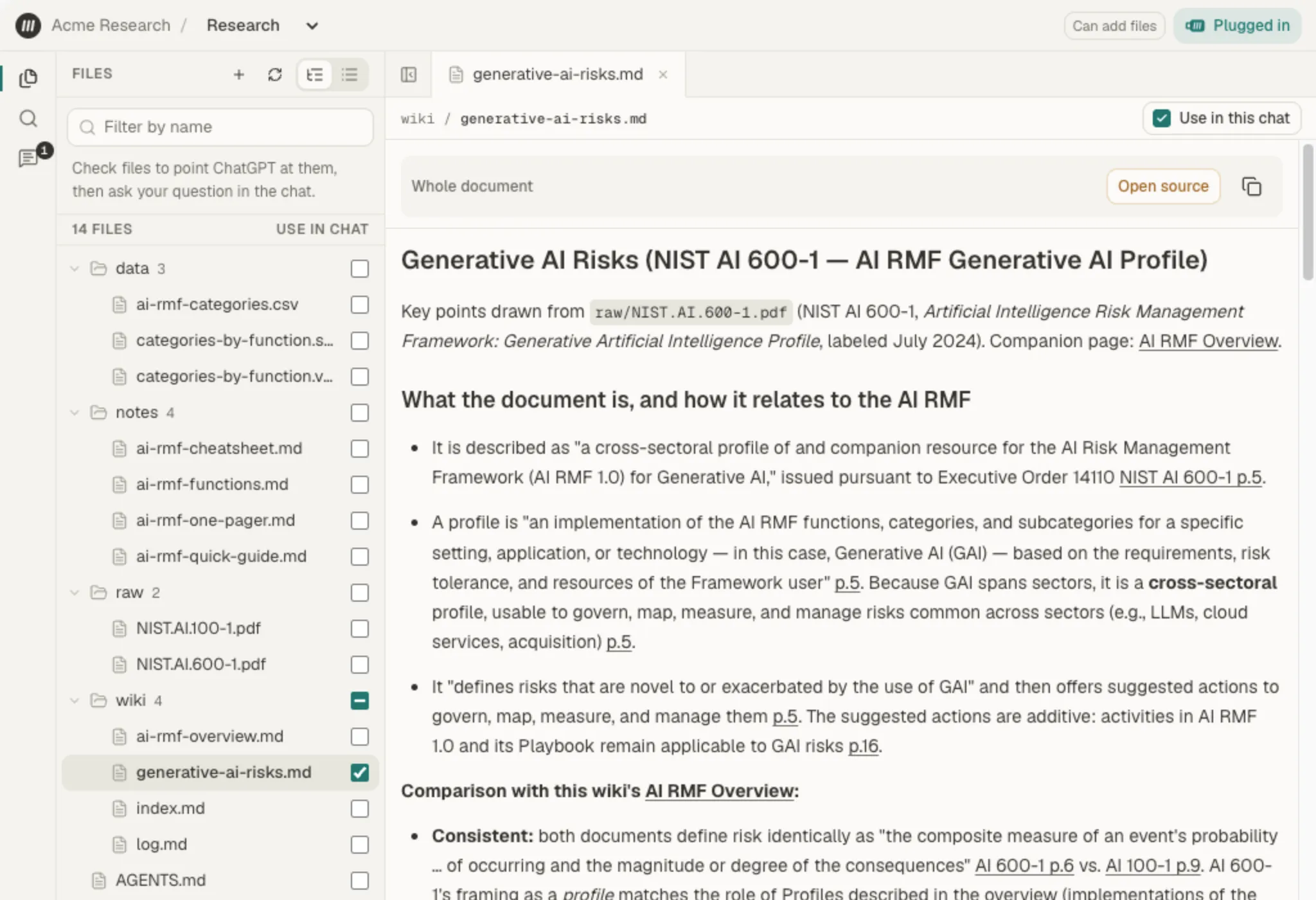
Current Notebook shown, captured October 20. Adding files arrived in the October 10 update.
New
Browse and read a Space inside ChatGPT
Mempipe Notebook opens your folders, document reader, and search inside ChatGPT. Keep several files open, read the passage behind a search result, and follow a source link back to Mempipe. Connect through custom MCP setup on a supported ChatGPT account.
Explore Mempipe NotebookNew
Choose where the conversation starts
Select files or folders to tell ChatGPT where to start. Use the plug control to stop adding the notebook's context to the conversation. These choices guide answers without restricting access: ChatGPT can still use Mempipe's tools to search the Space.
Choose files for a chat